
Appointment Booking
Book an appointment anywhere, anytime – office visit, virtual visit, or walk-in.
Go beyond phone bookings by letting patients search doctors and locations online and book instantly. An online system keeps calendars accurate and gives staff quick access to appointments, services, patients, and locations.

Request a Demo

Appointment Widget
Book Office or Virtual Visits Anytime
Add an online booking widget to your website and let patients schedule office or virtual visits anytime, from anywhere. Appointment requests are delivered instantly via email and are available in WellWink. With WellWink integration, appointments flow directly into your Practice Management System—simple and seamless.

We are geared to disrupt the industry and alter the ways healthcare is provided
Request a Demo
Find A Doctor
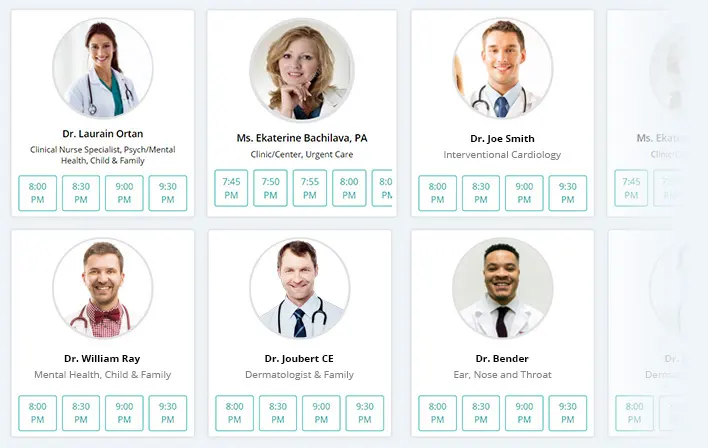
Easily Find, Review, and Book your Doctor in One Place
Patients can easily search for doctors by specialty, service type, or location and book appointments directly from the WellWink website. They can choose an available doctor for an office visit or select an On-Call doctor for a virtual visit. Before booking, patients can review each doctor’s profile and verified reviews—all in one place.
Walk-In Patients
Manage Walk-ins and Patient Flow With Ease.
Waiting List
Smart Scheduling with Integrated Waiting List Support.
Providers prioritize scheduled patients first. If a doctor is fully booked, patients can be added to a waiting list. WellWink maintains waiting lists by doctor, available for both phone and walk-in bookings. Once scheduled, patients are seen,and doctors can manage and prioritize waiting list patients accordingly.
Frequently Asked Questions
How are patients placed on the waiting list?
Who manages the waiting list?
Can doctors prioritize patients on the waiting list?
How do patients know if they are on the waiting list?
Does the system track patient waiting time?
What happens if a scheduled patient cancels?
Resources
Wellwink Resources
Our Latest Blogs
Read the latest insights about Wellwink as well as medical blogs around the world. Our purpose is to provide education for both providers and patients.
Finding a Physician
Find a Physician and Book an Office visit or Virtual visit. We are helping healthcare communities to bridge the gap between patients and doctors.